> For the complete documentation index, see [llms.txt](https://help.sleuth.io/llms.txt). Markdown versions of documentation pages are available by appending `.md` to page URLs; this page is available as [Markdown](https://help.sleuth.io/sleuth-skills/distribute/organization.md).
# Organization
The root installation target. Every member of your Sleuth Skills vault belongs to exactly one organization; org-scoped installs reach everyone.
The **Organization** is the outermost container in Sleuth Skills. It is created automatically when you first sign in and owns every other entity — users, bots, teams, repositories, assets, and the audit log.
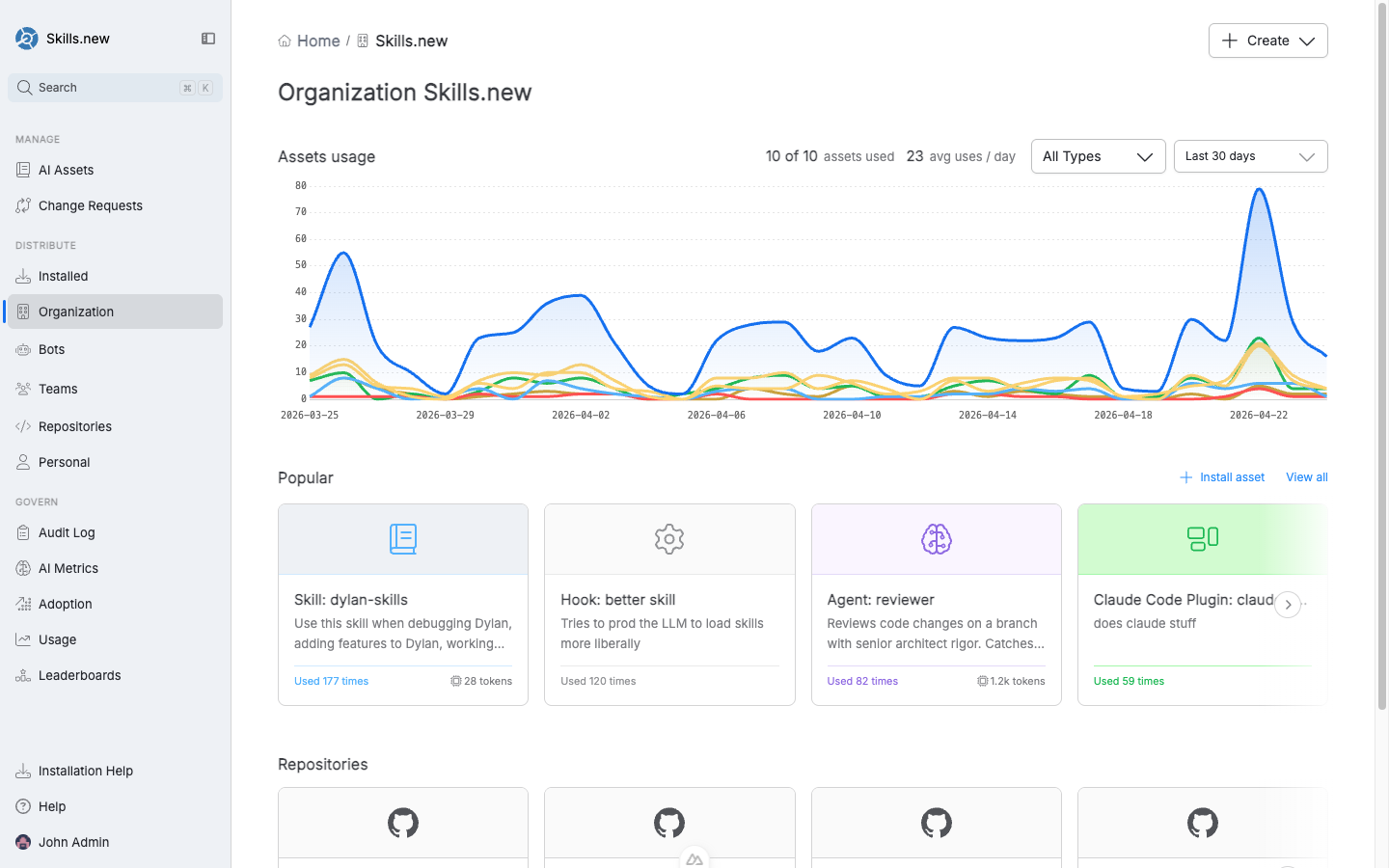
The Organization page shows aggregate asset usage, the most popular assets, and the repositories connected to the org.
## What you can do here
From the **Organization** entry in the Distribute section of the left nav you can:
* See aggregate asset usage over a time window (default: last 30 days).
* Browse the most popular assets across the whole org.
* Review connected repositories.
* Install an asset org-wide with **Install asset**.
## Org-wide installs
An asset installed at the organization level reaches every member of the vault, regardless of which repo they're working in.
Under the hood, an org install is equivalent to `sx install --org`. `sx` writes the asset to the user's *global* client directory (`~/.claude/`, `~/.cursor/`, etc.), so it's available in every project they touch.
Use org installs for assets that are truly universal: company-wide coding standards, a shared code reviewer agent, or an MCP server that authenticates against internal services everyone uses.
## When not to use org scope
Org-scope is the wrong answer when:
* **The asset only applies to one codebase.** Org-scope pollutes every project's context with prompts that aren't relevant there. Use a [repository-scoped](/sleuth-skills/distribute/repositories.md) install instead.
* **The asset is role-specific.** Frontend-focused rules don't belong in every backend engineer's global directory. Use a [team-scoped](/sleuth-skills/distribute/teams.md) install so only the relevant people receive it.
* **You're still iterating.** Keep the asset as a [personal](/sleuth-skills/distribute/personal.md) install until it's ready to share.
## Organization-level governance
Because the Organization is the root of the audit log and every usage metric, the **Govern** section of the left nav always shows organization-wide data by default. You can filter each dashboard down to a specific team, repository, or user from there.
---
# Agent Instructions
This documentation is published with GitBook. GitBook is the documentation platform designed so that both humans and AI agents can read, navigate, and reason over technical content effectively. Learn more at gitbook.com.
## Querying This Documentation
If you need additional information that is not directly available in this page, you can query the documentation by asking a question.
Perform an HTTP GET request on the following URL with the `ask` and `goal` query parameters:
```
GET https://help.sleuth.io/sleuth-skills/distribute/organization.md?ask=&goal=
```
`ask` is the immediate question: it should be specific, self-contained, and written in natural language.
`goal` is what the user is ultimately trying to achieve, the reason they need the answer. Sharing it helps GitBook give you a better, more relevant answer. A goal is most helpful when it describes the outcome the user wants rather than restating the question. For example, with `ask=how do I create an API token`, a goal like `automate deployments from our CI pipeline` lets GitBook tailor the answer to that use case.
The response will contain a direct answer to the question and relevant excerpts and sources from the documentation.
Use this mechanism when the answer is not explicitly present in the current page, you need clarification or additional context, or you want to retrieve related documentation sections.